 DELIRIUM
 DESKTOP 1.4.0
Your Guides.
More tools together.
Choose your companion, bring more of your work into Delirium and keep your familiar settings.
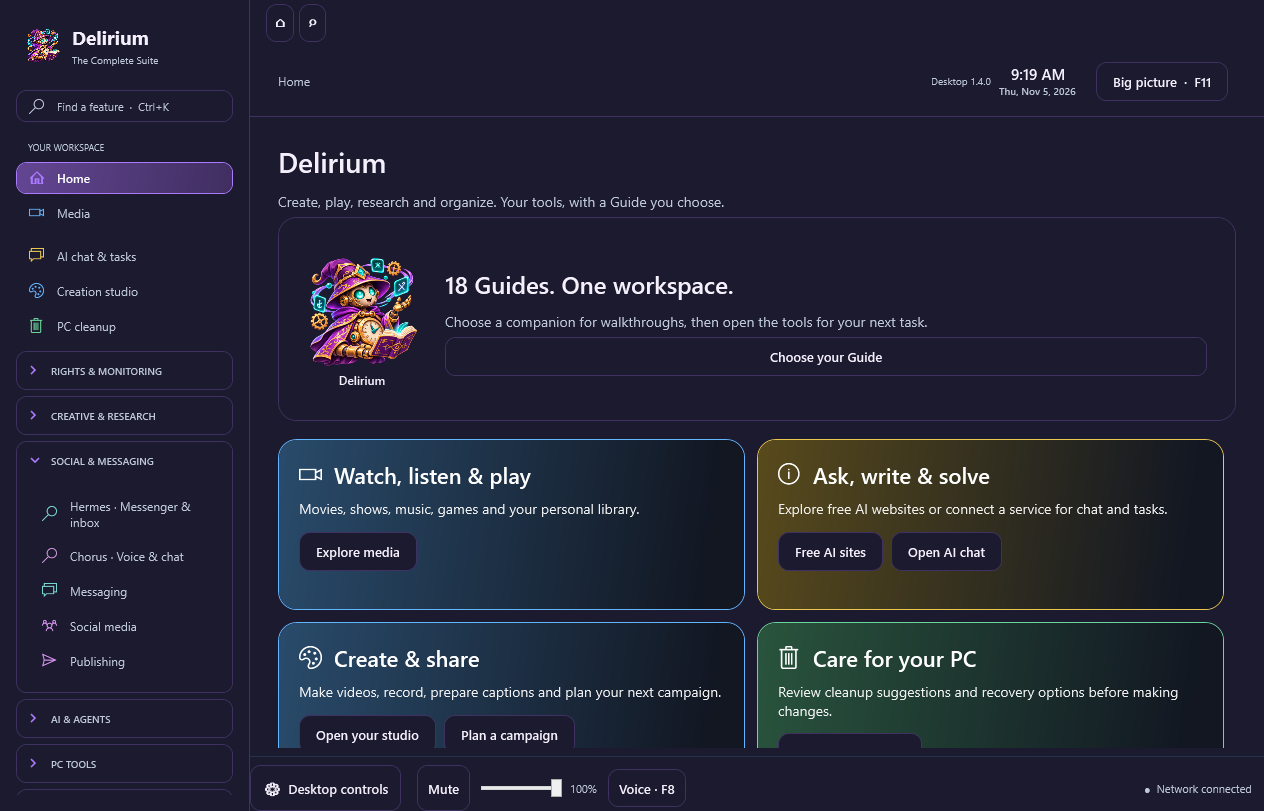
Choose your Guide
Choose from all 18 Guides. Your choice is saved for tutorials, creative walkthroughs and included workspace headers. Imported personal artwork is preserved; chat keeps that artwork until you choose to use your selected Guide there.
Reverie, Grimoire, Sibyl, Hermes, Eidolon and Chorus open from Delirium in their own workspace windows. They use your Delirium access, with no separate app purchase. Close an already-open standalone copy before using a workspace that shares its profile. Chorus uses its own Delirium profile; set up its connections there.
Give each of the 18 app families its own section color. Existing custom colors carry forward, and open workspaces follow their family color.
Workspace appearance backups include your selected Guide. Restoring an older backup with no Guide choice keeps your existing selection.
The app family in Delirium
Six included workspaces open in their own linked windows with no separate app purchase. Your provider accounts, permissions, optional subscriptions and external tools remain separate.
| App / Guide | Included workflows and improvements |
|---|---|
| Aegis | Native rights/privacy workflows, evidence inventories and comparisons, saved review filters, case activity, templates, content tools, reports and practical walkthroughs. Walkthroughs use your selected fantasy Guide. |
| Argus — Hall Monitor | Discord review/export, keyword testing with match spans, saved review search/filters, backups and the latest included monitoring component. |
| Reverie | Layered art editing, drawing, text, shapes, image tools and editable banner/cover/thumbnail templates, combined with merch plans, cost estimates, print checks and exports. |
| Grimoire | Manuscripts and chapter editing, illustrations, templates, Markdown/basic DOCX import, cover planning, EPUB/PDF proof exports and a complete publishing kit. |
| Sibyl | Combined research results, source status, deduplication, filters, saved searches, bookmarks, collections, notes and citation exports. General-web search uses your permitted endpoint or provider access. |
| Hermes | Supported chat connections and IMAP/SMTP email, cached search, flags, drafts, reviewed sends, uncertain-delivery protection and encrypted backup/restore previews. |
| Eidolon | Tagged game library, favorites/recent games, emulator profiles, reviewed launch plans, compatible imports, recovery and official setup/tool links. Your games, firmware and emulator installations stay separate. |
| Orpheus | Audio trim/fades/gain and protected WAV/FLAC/MP3 exports; visualizer videos and short test renders; saved release plans, track metadata, asset checks and all 26 music-service links. |
| Herald | Campaigns, calendars and reviewed publishing, destination-specific draft variants, media/text/link readiness checks and delivery-state review. |
| Phantasm | Media/playback/library tools, saved multiline caption projects, timed previews, SRT import/export, cancellable Windows narration, TV guide/schedule improvements, DVR recovery, OBS recording/pause/resume and safer retro exports. |
| Janus | Supported AI connections, local models and routing preferences; balanced/quality/cost/speed comparison previews with explanations before changes. |
| Vulcan | Reviewed PC scans and maintenance, exclusions/recovery, saved category comparisons, known/unknown sizes and clearer exported reports. |
| Bastion | Encrypted local account records, manual MFA/passkey/recovery readiness, overdue reviews, duplicate-identity comparison and recoverable saves. |
| Archivist | Duplicate reports, CSV exploration and syntax checks; preview/apply/undo cleanup, saved recipes and protected new-file exports. |
| Daedalus | Reviewed project packages and team rooms, named exclusions, match previews and added/changed/absent file inventories. |
| Atlas | Shortcut/folder layouts, missing/duplicate-target review, reviewed undo/import recovery, movable internal folder windows and named window-position layouts. |
| Chorus | Warcraft voice, audio-device/roster/room/privacy controls, plus supported chat inboxes, search/flags/drafts, reviewed sends, encrypted backup and shared-bot ownership. |
Windows app bundle and browser setup
In-app websites, the visualizer and supported workspaces use Microsoft WebView2. They can use an installed runtime or the optional offline browser component. If no usable runtime is available, opening a browser feature asks before running Microsoft setup, which needs an internet connection.
Extract the entire Windows app bundle before launching Delirium. Keep its folders together. The final download size and SHA-256 appear in your account. DVD menu design and project export remain available in Delirium; Build ISO and Advanced editor require separately selected DVDStyler.
Download and extract the full ZIP; keep every folder together. Allow at least 5 GB of free disk space. Your account shows the release version, size and SHA-256. Source materials remain available separately.
Download and setup details → · Start here → · Earlier 1.3.19 notes →